
Dear Student ,
I’m pleased to introduce the TCLab project.
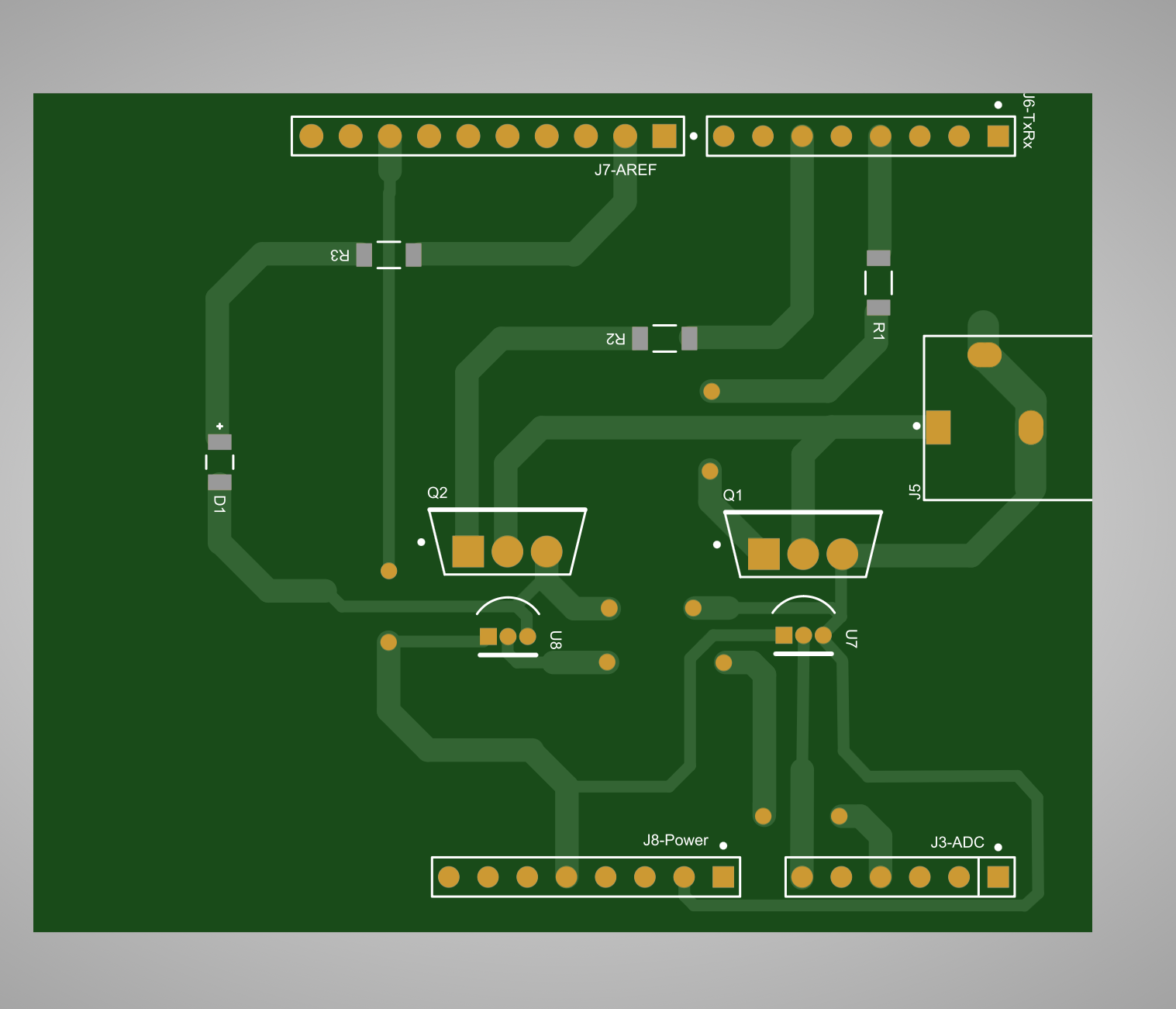
In this guide, we'll walk you through the initial steps of building the project hardware. In this phase, we'll focus on constructing and soldering the Printed Circuit Board (PCB). The main goal is to obtain an already fabricated PCB, design your own layout and fabricate it, or use the Gerber files from the existing layout and use the transfer method to prepare and build the TCLab 1v1.
Understanding the Project: Before starting hardware construction, make sure you understand the TCLab project’s goals and requirements. Get familiar with the project's components, connections, and desired outcomes. The next link offers detailed instructions, schematic, list of components, Gerber files, PCB layout files, and sample firmware.
Obtaining or designing the PCB: You can use an already fabricated PCB; contact your lecturer to get one. Alternatively, you can develop your own version by designing the printed circuit board (PCB) layout using electronic design software such as Eagle, KiCad, Altium Designer, or Flux. Utilize this repository as the main required schematic.
Fabricating the PCB using the Gerber files: Use the provided Gerber files in the previous repository to fabricate the PCB. For a basic laboratory process, you can use the traditional toner-transfer method, followed by etching, drilling, and soldering.
Soldering Components: With the fabricated PCB, it's time to solder the components onto the board. Follow these steps for successful soldering:
- Organize your workspace with proper lighting and ventilation.
- Use a soldering iron with the appropriate tip size for the components.
- Start by soldering the smallest components first, such as SMD resistors and LEDs, and then move on to larger components like integrated circuits and connectors.
- Ensure proper alignment and orientation of each component before soldering.
- Apply the soldering iron tip to the component lead and the PCB pad, then feed solder wire to create a strong, reliable joint.
- Avoid overheating components and PCB traces by minimizing soldering time and using flux to aid in solder flow.
- Double-check each solder joint for quality and continuity using a multimeter.
Testing the Hardware: After soldering all components, thoroughly inspect the PCB for any soldering defects, shorts, or open circuits. Use a multimeter to verify the integrity and functionality of each component and circuit. Address any issues and make necessary corrections before proceeding.
Documentation and Feedback: Document your hardware assembly process. This documentation will be invaluable for future reference and troubleshooting. Additionally, provide feedback on the hardware construction process, noting any challenges encountered and lessons learned to inform future iterations.
Testing your PCB: The following video will guide you through testing your hardware by attaching it to the Arduino UNO board using its firmware.
Please remain attentive to the forthcoming procedures, during which we shall explore software development and integration to realize our project. Should you have any inquiries or require assistance at any point, do not hesitate to contact me.
Happy building! 🚀🔧
Gerardo Marx
Lecturer